How Reply Queues Help You Avoid X Rate Limits
How Reply Queues Help You Avoid X Rate Limits
One user reported being locked out of 𝕏 by lunchtime despite not hitting the 2,400 daily tweet limit. The problem wasn't volume, it was velocity. Firing dozens of actions in a short burst tripped the system's alarm bells.
𝕏 monitors action patterns, not just totals. Understanding rate limits and building systems that respect them is essential for sustainable engagement.
𝕏 Rate Limits Explained
𝕏 uses a tiered rate limiting system that varies by account type, verification status, and action type.
Daily action limits:
| Action | Unverified Users | 𝕏 Premium Users |
|---|---|---|
| Tweets (including reposts) | 2,400/day | 6,000-10,000/day |
| Follows | 400/day | 1,000/day |
| Likes | 1,000/day | Higher threshold |
| DMs | 50-500/day | 300-500/day |
Beyond daily limits, the platform divides these into smaller windows. You can post approximately 50 times every 30 minutes and about 100 tweets per hour maximum, with 15-minute rolling windows for API calls. Exceeding these sub-limits triggers temporary cooldowns of 30-60 minutes, even if you're well under daily caps.
New accounts face heavier restrictions, typically 50-100 DMs per day compared to 300-500 for established accounts that are 3 or more months old. After following 5,000 users, additional limits kick in based on your follower-to-following ratio.
What Triggers Rate Limiting
Behavioral triggers fall into several categories. Rapid-fire actions like performing dozens of likes, replies, or retweets in short bursts raise red flags. Bot-like patterns where automation performs actions at inhuman speed or regularity draw scrutiny. Mass following or unfollowing that exceeds 400 follows per day or involves rapid churn signals manipulation. Bulk DMs with repetitive or mass direct messages trigger limits quickly. Even constant refreshing, especially during trending events, can cause problems.
Technical triggers add another layer of risk. Running multiple tabs, apps, or tools simultaneously multiplies your API footprint. Multiple active logins across devices compound the issue. Background app refreshes ping the API frequently without your awareness, and third-party tools may hit the API repeatedly in ways you don't control.
The key insight is that 𝕏 monitors action velocity, not just total volume. Even if you haven't hit the 2,400 tweet limit, firing rapid actions within minutes can trigger secondary rate limits.
Shadowban Risk Factors
Aggressive engagement can lead to shadowbans, where your visibility decreases without notification.
Risk factors include mass-following and unfollowing patterns, excessive liking and retweeting, using identical hashtags repeatedly, engaging with flagged or spammy accounts, participating in coordinated engagement pods, and posting with non-human rhythms. Each of these behaviors signals potential spam or manipulation to the algorithm.
Safe thresholds keep you in clearly legitimate territory. Post 15-20 tweets per day maximum, spaced naturally throughout your active hours. Use no more than 2-3 hashtags per tweet. Avoid bursts of 5 or more tweets in quick succession.
What Is a Reply Queue?
A reply queue is a systematic approach to managing engagement activities. Instead of responding in real-time bursts, replies are collected and distributed throughout the day.
The system has three core components. The collection layer monitors mentions, keywords, and target accounts, aggregating potential reply opportunities and prioritizing based on relevance or follower count. Queue management stores replies with metadata including target tweet, draft response, and priority, sets maximum queue size, and includes timestamps for time-sensitive content. The distribution engine spaces out replies to avoid burst patterns, aligns posting with audience active hours, and respects rate limit windows.
Queues work because they prevent the burst patterns that trigger limits while maintaining a consistent engagement presence. They allow quality review before posting, distribute activity across optimal time windows, and let you scale engagement without proportional time investment.
Building Your Reply Queue System
A simple DIY approach starts with Google Sheets. Create a spreadsheet with columns for Target Tweet URL, Draft Reply, Priority, Scheduled Time, and Published Time. Add triggers that check the sheet at regular intervals. The automation posts the oldest queued item where the scheduled time has passed and the published time is empty, then marks it as published with a timestamp. One developer built a complete workflow in about 10 minutes using just 6 steps and 30 lines of code with n8n automation.
If you prefer a DIY approach, tools like IFTTT can save tweets matching specific terms to Google Sheets as engagement opportunities, and n8n provides open-source workflow automation.
A Simpler Approach: Browser-Based Reply Queues
For most users, the DIY automation route adds unnecessary complexity. A more straightforward solution is using a tool designed specifically for this problem.
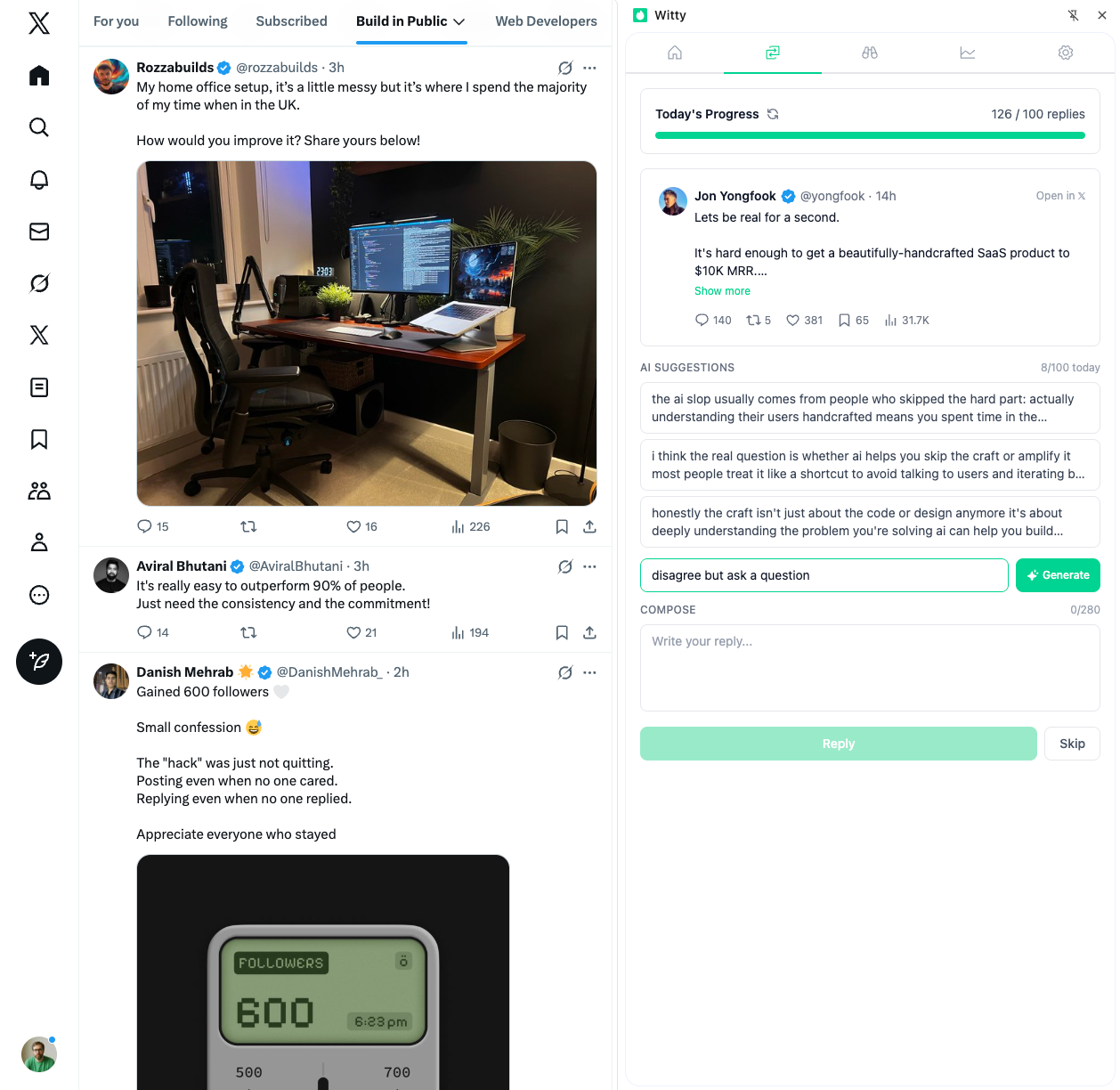
Witty is a Chrome extension built around the reply queue concept. Instead of cobbling together spreadsheets and automation workflows, you get a streamlined interface for queuing replies directly in your browser. The extension lets you draft replies as you browse, queue them for later, and have them distributed throughout the day at natural intervals.
The advantage of a browser-based approach is that it fits into your existing workflow. You're already on 𝕏 reading posts. Witty lets you compose replies in context, add them to your queue, and move on. The extension handles the pacing and distribution, keeping you well under rate limits without requiring external automation tools or technical setup.
For users who want AI assistance, Witty also offers AI reply suggestions to help compose responses faster, along with analytics to understand which engagement strategies are working. For structured daily engagement, see the daily engagement system.
Pacing Your Engagement
The throttling approach: deliberately spread actions throughout the day rather than performing them as fast as possible.
The buffer zone method builds in safety margins. If the limit is 500 DMs per day, target 350-400. This buffer protects against edge cases, keeps you in the clearly legitimate zone, and avoids triggering secondary rate limits.
Recommended pacing stays well under theoretical maximums. Keep tweets to 50-60 per hour maximum rather than pushing toward 100. Limit replies to 10-15 per hour maximum. Distribute follows across your active hours at roughly 17 per hour to stay under the 400 daily cap.
Natural patterns matter as much as totals. The algorithm detects unnatural behavior, so mimic human patterns by varying timing between actions rather than posting exactly every 2 minutes. Mix content types including tweets, replies, retweets, and likes. Follow active periods with quiet periods. Combine genuine manual engagement alongside any automation.
Warning Signs and Recovery
Early warning signs appear before full rate limiting kicks in. Sluggish loading where tweets and timelines take longer to refresh suggests you're approaching limits. Actions not registering, where likes, retweets, or follows fail silently, indicates the system is throttling you. Sudden engagement drops despite consistent posting may signal reduced distribution. Interface glitches and frozen feeds often precede explicit rate limit messages.
Most limits reset within specific timeframes. The 15-minute API window resets in 15 minutes. Hourly posting burst limits clear in 60 minutes. The 30-minute tweet quota resets in 30-60 minutes. Daily action limits reset in 24 hours. Standard shadowbans typically lift in 24-72 hours.
Quick fixes can restore normal function. Clear your cache and restart the app. Switch platforms from app to browser or vice versa. Reduce active sessions by logging out of devices you're not using. Remove connected apps in Settings under Security and Connected Apps.
Shadowban recovery requires more patience. Pause all activity for 24-48 hours. Stop triggering behaviors by ceasing automation and mass actions. Clean up slowly by deleting problematic content gradually, since mass deletion itself looks suspicious. Return with genuine manual engagement. Monitor your status with shadowban testing tools to confirm recovery.
Your Rate Limit Strategy
Prevention starts with conservative targets. Aim for 70-80% of limits rather than 100%. Spread actions throughout the day rather than concentrating them. Mix automated and manual engagement. Track action velocity, not just volume. Use reputable tools that comply with 𝕏 policies.
System setup creates the infrastructure for sustainable engagement. Create a simple queue system using either a spreadsheet with automation or a professional tool. Set maximum replies per hour at 10-15. Distribute engagement across morning, midday, and evening blocks. Build in buffer capacity for high-engagement days when you'll want to be more active.
Ongoing monitoring catches problems early. Track your daily action counts. Note any warning signs like slow loading or failed actions. Adjust pacing if you approach limits. Review connected applications regularly to ensure nothing is hitting the API unexpectedly.
Rate limits exist to prevent spam and protect user experience. By building systems that respect these limits, you're not just avoiding penalties. You're building a sustainable engagement practice that can scale indefinitely. For building the daily reply habit, a queue system is essential.
Related Articles

Warming Up Your Account After a Break
When you stop posting, the algorithm deprioritizes you, followers forget you exist, and your network moves on. None of this is permanent. But you can't just pick up where you left off. Think of your account like a muscle. A 2-4 week warmup period rebuilds presence strategically.
7 min read
How AI Reply Suggestions Can Speed Up Your Growth
AI tools have transformed content creation. But can they help with something as personal as replies? Used correctly, yes. AI can help you engage more consistently, break through creative blocks, and save 50-60% of your time. It cannot replace your authentic voice, your real expertise, or your genuine relationships.
7 min read
How to Stay Consistent on X With a Full-Time Job
79% of creators have experienced burnout. That number jumps to 83% for those trying to monetize their presence. If you're building an X presence while working a full-time job, here's how to stay consistent without destroying yourself.
7 min readYou've done the learning. Now put it into action.
Witty finds tweets worth replying to and helps you craft responses in seconds. Grow your audience without the grind.
No credit card required.